
Bonrix PhoneLink – Turning Your Android Phone & Laptop into a Smart Voice AI Agent Hub


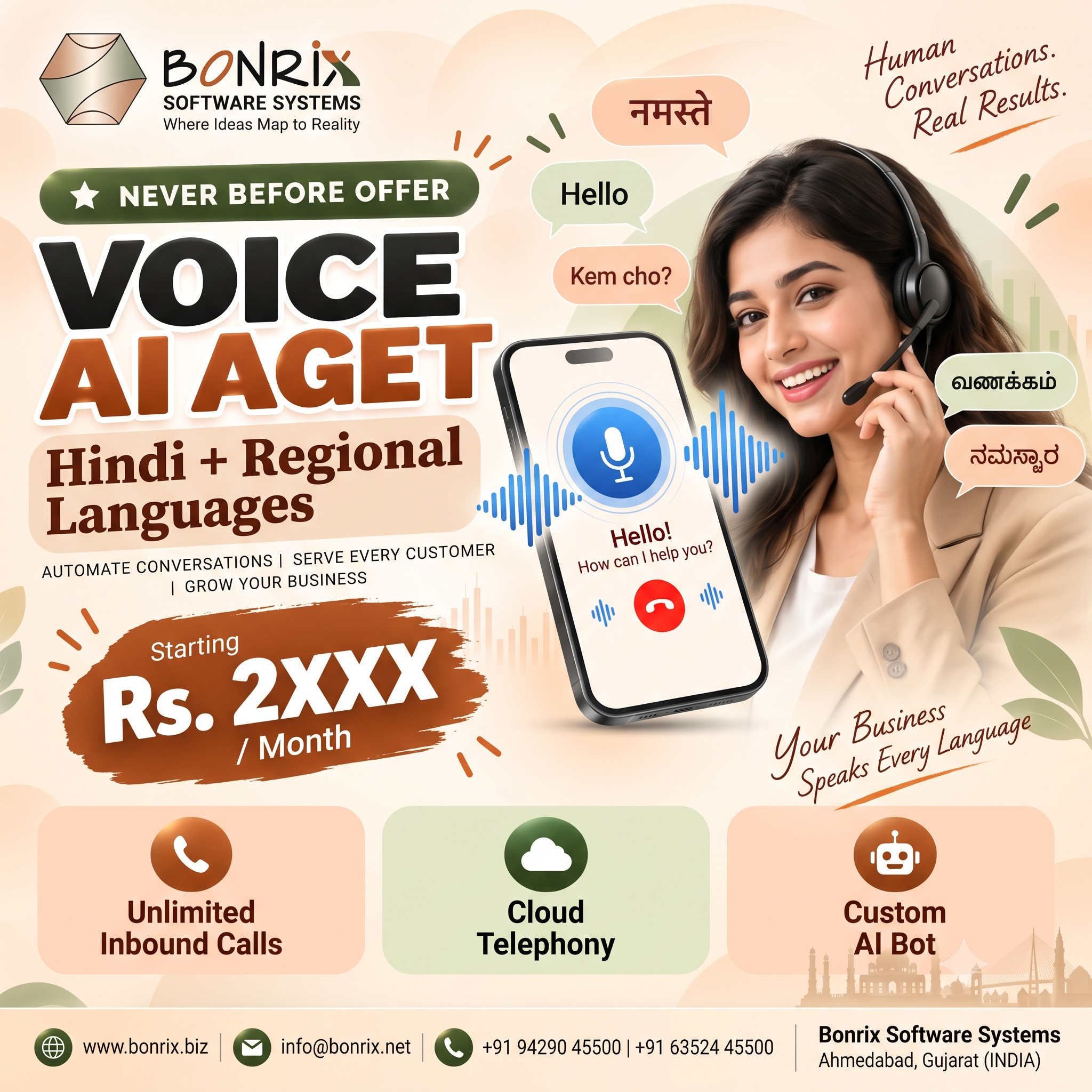
Bonrix Software Systems, Ahmedabad, Gujarat (India), introduces Bonrix PhoneLink — an affordable, intelligent and powerful Voice AI Agent for every business. Built on the vision "Smarter Calls. Happier Customers. Lower Costs.", this innovation transforms your existing Android smartphone (GSM/3G/4G/5G) and Windows laptop/desktop into a fully functional AI voice hub that handles inbound and outbound calls with real-time AI conversations — without expensive cloud telephony, SIP/VOIP lines, virtual numbers, cloud PBX or monthly subscriptions. You keep using your existing mobile number and SIM, backed by a 24x7 AI-assistance promise: never miss a call. Unique Dual Connectivity Architecture AI Listens – AI Understands – AI Responds More Than Just Voice Conversation Use Cases Across Industries Why Bonrix PhoneLink? 🏢 Bonrix Software Systems 📍 Ahmedabad, Gujarat, India 📱 +91 94290 45500 | +91 63524 45500
#Bonrix #VoiceAI #VoiceAIAgent #AIAgent #PhoneLink #BonrixPhoneLink #AndroidPhone #CallAutomation #CustomerSupport #AIForBusiness #AffordableAI #NoSIP #NoVOIP #NoPBX #CloudTelephony #TwoWayAudio #AudioBridge #Bluetooth #ChatGPT #OpenAI #Gemini #Claude #Grok #MicrosoftCopilot #PerplexityAI #LocalLLM #SpeechToText #TextToSpeech #ConversationalAI #RealTimeTranscription #CRMIntegration #WhatsApp #AppointmentBooking #CallCenter #VirtualAssistant #24x7Support #NeverMissACall #MSME #SmallBusiness #Startups #Entrepreneurs #Freelancers #Hotels #RealEstate #Education #Healthcare #Retail #ECommerce #Courier #Travel #TourPlanner #Logistics #Restaurants #Hospitals #DigitalIndia #MakeInIndia #Ahmedabad #Gujarat #India #BusinessAutomation #CostReduction #SmartBusiness #VoiceTechnology #GenAI #GenerativeAI #CustomerExperience #InboundCalls #OutboundCalls #PlugAndPlay #KnowledgeBase #AIAnalytics #DataSecurity #GPU #ASR #TTS #LLM
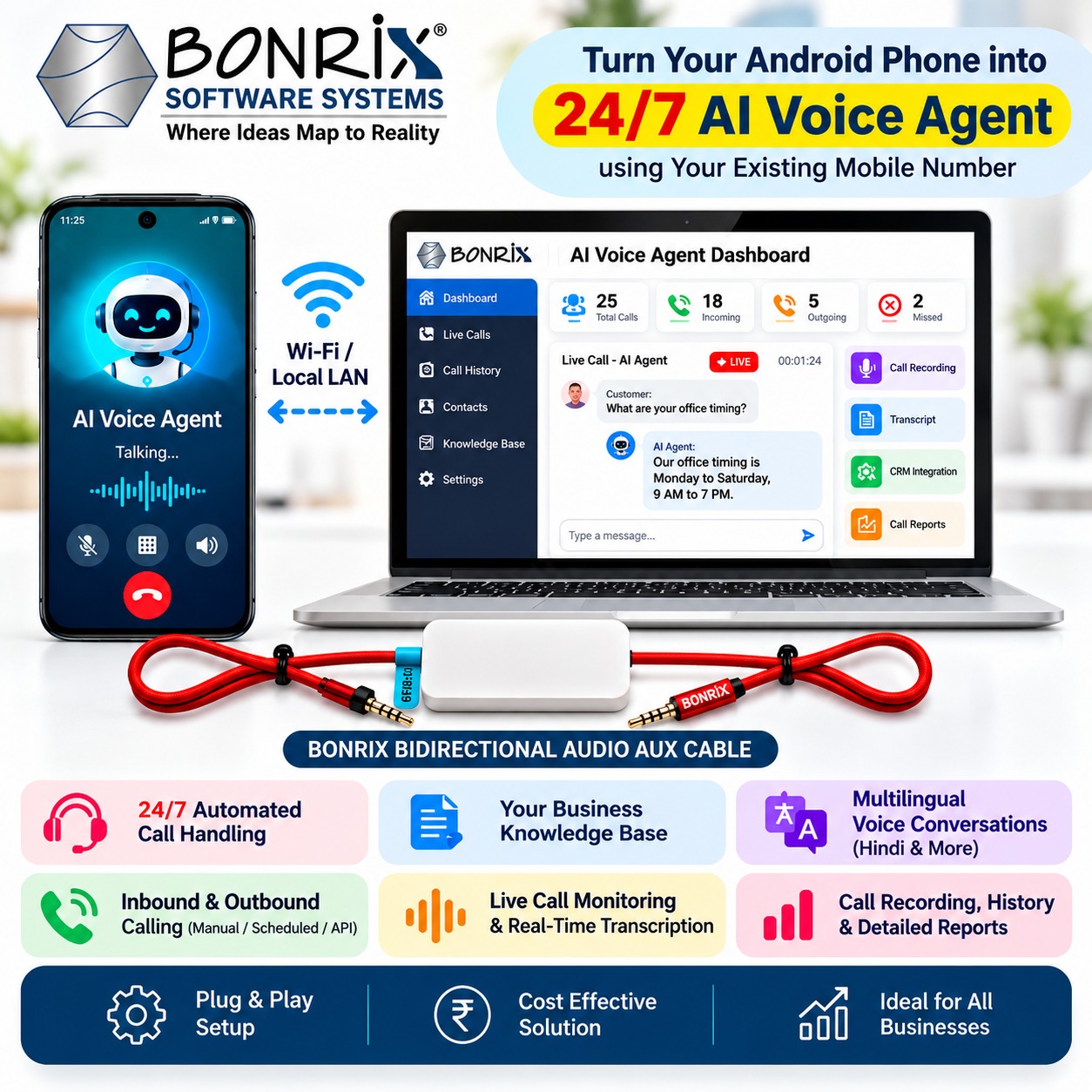
The heart of the system is a two-part hardware bridge. A Bluetooth link delivers complete call control — incoming call detection, caller ID & call status, auto answer, call management and dialer integration — while the proprietary Bonrix Real Audio AUX Cable (Item Code: BNX-AUX-VOX-AI) creates a true two-way cross audio bridge, routing phone-speaker audio to the PC microphone and PC-speaker audio to the phone microphone. This plug-and-play design provides crystal-clear two-way audio and a stable, reliable connection, letting the AI converse with customers over your real phone line.
During calls, speech-to-text converts customer speech into accurate text; smart AI/LLM processing matches intent against your knowledge base of business data, FAQs and documents; and text-to-speech replies in a natural voice with multi-language support for Indian and global languages. The dashboard shows live calls, real-time transcription, call status, duration, logs, history and smart analytics. The engine is powered by leading models — OpenAI ChatGPT, Google Gemini, Claude (Anthropic), Grok (xAI), Microsoft Copilot, Perplexity AI, Pi (Inflection), INDUS by Sarvam — plus local LLMs. An optional local deployment on your own GPU server runs a private ASR-LLM-TTS pipeline for lower serving cost, better privacy, faster response, full data control and operation with or without internet.
Beyond answers, PhoneLink creates support/inquiry tickets, performs AI-to-human escalation, merges/transfers calls to human agents, integrates with ERP/CRM/business software, books appointments, sends WhatsApp & SMS notifications, enables phone-based ordering and shares live data — reducing costs while improving service and customer satisfaction.
Flagship applications include hotel inquiry, support & booking; school/college admission helpdesks; real estate inquiry & locality pricing; government scheme & application assistance; travel/bus schedule & booking support; e-commerce & courier inquiry support; doctor/healthcare availability & appointments; and tour planner & itinerary information — plus retail stores, restaurants, clinics, coaching institutes, agencies, service centers, logistics, freelancers and self-employed professionals.
Affordable, flexible, powerful and scalable — no expensive telephony, no monthly rental, maximum ROI — perfect for MSMEs, small businesses, startups and professionals. Start automating customer calls today: your phone, our AI, better customer experience.


| EXE File | Download |
|---|---|
| Phone Link AI Android Websocket | 📥 Download |
| Phone Link AI Bluetooth | 📥 Download |
| Phone Link AI Dialer Python | 📥 Download |
| Android AI Dialer Python | 📥 Download |






Bonrix Voice Inquiry Demo Audios
Customer Product Inquiry at Bukshet Agency
The audio contains a conversation between a customer and a representative of Bukshet Agency. The customer inquires about various product categories, including household cleaning, baby care, and beauty products.
During the interaction, the customer attempts to order several items such as Ariel Perfect Wash detergent, Kinder Joy, and Zedex syrup, but the representative informs them that these specific items are currently out of stock. The customer successfully finds Vaseline Original (85g) and expresses interest in purchasing a full box of 72 pieces. Additionally, the customer asks for Dove Daily Shine Shampoo in an 80ml size, which is also unavailable. Throughout the call, the representative repeatedly requests the customer's name to finalize and save the order details while providing pricing and quantity information for the available alternatives.
Easy Pay Recharge Complaint Registration
A customer named Drishti contacted Easy Pay support to report a failed ₹500 mobile recharge where the amount was deducted from her wallet but not credited. The representative verified her details and successfully registered a formal complaint, providing her with ticket number 21 for further tracking.
Refund Resolution Update from Diamond Pay
A Diamond Pay representative informs a customer that their complaint regarding a stuck ₹500 transaction from June 13th has been resolved. The representative confirms the refund has been credited to the account, and the customer acknowledges the resolution.
Premium Real Estate Inquiry in Jaipur
A prospective buyer inquired about premium JDA-approved plots in Jaipur, specifically targeting high-end locations like Sirsi Road and Kalwar Road. The consultant provided pricing estimates and discussed additional costs such as registry fees and stamp duty before the caller concluded the inquiry to follow up later.
Hotel Inquiry: Viva Baga, North Goa
A customer contacted Hotel Viva Baga to inquire about its location near Baga Beach, room amenities for couples, and check-in/out timings. The staff provided contact numbers for direct booking, clarified that card payments are not accepted (preferring UPI or cash), and confirmed the hotel is couple-friendly.
Customer Support Interaction: Diamond Pay Recharge
The audio records a customer support call between a representative from Diamond Pay and a customer named Drishti. The conversation begins with the customer inquiring about the services offered by Diamond Pay, which include mobile, DTH, and data card recharges.
Follow-up Call: Diamond Pay Complaint Status Update
his audio is a follow-up conversation between a customer and a representative from Diamond Pay. The customer is inquiring about the status of a previously registered complaint.
DTH and Mobile Recharge Inquiry via Orion Recharge
A customer contacted Orion Recharge to check account details and recharge plans for multiple services, including Airtel DTH, Sun Direct, Jio, and Airtel mobile. The representative provided specific subscriber information, such as balance and next recharge dates, as well as minimum smartphone plan details for the Odisha circle.
Software Subscription Quotation for Bonrix Software System
Drashti, representing Bonrix Software System, negotiated a yearly subscription plan for 20 users, opting for a 25% discount despite the mandatory 18% GST. The conversation concluded with a misunderstanding regarding the delivery of the final quotation, as the representative claimed to have sent it before receiving her WhatsApp number.
Software Subscription Quotation for Bonrix Software System
Drashti, representing Bonrix Software System, negotiated a yearly subscription plan for 20 users, opting for a 25% discount despite the mandatory 18% GST. The conversation concluded with a misunderstanding regarding the delivery of the final quotation, as the representative claimed to have sent it before receiving her WhatsApp number.
Upteams Subscription Plan Inquiry and Quotation
A customer named Drashti inquired about the Upteams Field Staff Productivity App for two users and opted for a yearly billing plan to receive a 25% discount. The representative provided a total quotation of ₹6,350.76 (including GST) and successfully delivered it to her via both WhatsApp and email.
Chhatron Ki Goonj — Student Voice Campaign Demo (NEET Aspirant Survey)
This audio is a demo of a conversational AI voicebot for the "Chhatron Ki Goonj" (Echo of Students) campaign — a student advocacy initiative focused on raising student voices against paper leaks and unfair examination practices in India. The bot greets a NEET aspirant from Ahmedabad, collects information about their preparation journey (years spent, coaching fees spent in lakhs), invites them to join the WhatsApp group, and records their top concern: reducing exam fees. The demo showcases how the campaign uses voice-based interaction in Hindi to engage students, gather their stories, and mobilize them as part of the movement.
Bonrix Software Systems — AI & Embedded Innovations Demo (Voice Assistant in Hindi)
This audio demo of a Hindi-language voice assistant for Bonrix Software Systems / Bonrix Embedded Innovations, a company based in Ahmedabad, Gujarat that specializes in custom embedded electronics, IoT solutions, firmware development, AI/ML integration, and PCB design. The demo features a user named "Drashti" interacting with the assistant, which retrieves her contact details from a profile, answers questions about Bonrix Embedded Innovations, and provides a brief explanation of Artificial Intelligence (AI) — including machine learning, deep learning, neural networks, and their applications in image/voice recognition and automated control.
Apex Dental Clinic — AI Voice Agent Appointment Booking Demo
This audio is a demonstration of an AI-powered voice assistant at Apex Dental Clinic (spoken in Hindi). The agent greets the caller, explains its capabilities (knowledge of treatments and doctors), and handles a live appointment booking flow. A caller named Drishti requests a teeth cleaning, provides her details (phone: 7698076142), and the agent offers available time slots. Drishti selects 2:00 PM, and the agent confirms the appointment with Dr. Sarah Michelle, provides an appointment number (CLINIC947440), and politely declines a WhatsApp message request. The demo showcases a fully functional conversational AI for dental clinic scheduling.
EMI Scheme Inquiry — Rajkamal Jewelers
This is a ~1.3-minute voice call recording between a customer named Dhrishti and a Rajkamal Jewelers automated/smart voice assistant. The conversation revolves around the customer inquiring about her Purchase EMI scheme — specifically the scheme details, benefits (0% interest, no processing fees), remaining installments (9 EMI installments + 2 savings scheme installments), and due dates. The assistant provides account information including the financed amount (₹1,38,825), monthly installment (₹11,569), and confirms 45 days remain until the next payment due on September 18, 2026. The call is conducted in Hinglish (Hindi + English) and showcases a conversational AI customer service interaction for a jewelry store's finance scheme.
EMI Reminder — Rajkamal Jewelers (Kannada)
This is a ~25-second outbound reminder call from Rajkamal Jewelers to a customer named Abhi. The automated voice assistant delivers the call in Kannada, informing the customer about their next installment of ₹11,569 with a due date of 18 September 2026, and noting that 45 days remain to make the payment. It also informs the customer that they can inquire about their EMI details, remaining installments, paid installments, due dates, outstanding balance, payment history, or scheme information. This appears to be a standard automated reminder/notification call from the jewelry store's voice assistant system, delivered in the customer's preferred regional language.
Hindi AI Voice Banking – ₹10,000 Transfer
Discover secure Hindi conversational banking with Bonrix Voice AI Agent. Initiate a ₹10,000 fund transfer, complete OTP authentication, and receive instant payment confirmation.
Voice AI Banking – ₹2,000 Secure Transfer
A demonstration of a ₹2,000 voice-based banking transaction using Bonrix AI. The system handles customer identification, beneficiary details, OTP verification, and transaction confirmation.
Multilingual Voice Banking – Balance & Fund Transfer
Explore multilingual AI-powered banking with balance inquiries, transaction history, and secure fund transfers. The Bonrix Voice AI Agent switches between Hindi and English and provides transaction IDs with WhatsApp confirmations.
Hindi-to-English AI Voice Banking & Money Transfer
Experience Bonrix AI Voice Banking with seamless Hindi-to-English switching. Check transaction history, transfer funds using voice commands, verify transactions through OTP, and receive WhatsApp confirmation.
Control Your Android Calls Directly from Your Desktop Using Bonrix Android Dialer!
Check out this hands-on walkthrough of the Bonrix Android Dialer, showcasing a Windows laptop paired with an Android smartphone and the Bonrix audio interface. The video guides you through connection and audio configurations before demonstrating an outgoing call and its real-time status on the desktop dashboard.
Built for a seamless desktop calling experience, this solution unifies the dial pad, connected device details, audio preferences, and call logs into a single, easy-to-use interface.
🎯 WHAT YOU WILL SEE IN THIS VIDEO
✅ Desktop Dialer Interface: Discover the Bonrix Android Dialer layout, featuring sections for Call Dialing, Phonebook, SMS, Settings, and Call History. The walkthrough highlights connection preferences and making outgoing calls.
✅ Android Device Linking: Observe the smartphone’s Web Control & Settings display right next to the desktop app. The connection indicator clearly shows when the mobile device is ready for dialing.
✅ Mic and Speaker Setup: Check out the USB microphone and speaker options within the settings menu. These controls let you choose the exact audio hardware for your workstation.
✅ Volume Adjustments: Explore the USB earpiece volume slider, allowing you to fine-tune the listening levels for your specific audio configuration.
✅ Bonrix Audio Hardware: The video highlights the compact Bonrix audio interface and its cabling alongside the laptop and phone, illustrating the physical gear required for this setup.
✅ Recording & Upload Preferences: Examine the call recording and upload settings, which include fields for the CRM telecaller’s name and choices for WAV or MP3 audio formats.
✅ Desktop-Initiated Calls: See how a phone number is typed into the desktop dial pad to trigger an outgoing call via the linked Android device.
✅ Real-Time Call Tracking: Monitor the call details appearing in the desktop app while the smartphone simultaneously displays the active call.
✅ Call Logs: Browse through detailed call records, including call type, dialed number, connection status, and duration, providing agents with a quick way to audit their calling activity.
💻 HOW THE DEMONSTRATION WORKS
1️⃣ Launch the Bonrix Android Dialer software on your Windows PC.
2️⃣ Check the Android device’s connection preferences and verify the linked status within the desktop app.
3️⃣ Choose the preferred microphone and speaker hardware for your audio environment.
4️⃣ Adjust the volume, recording format, and data upload preferences.
5️⃣ Navigate to the Call Dialer tab and input the desired phone number.
6️⃣ Trigger the outgoing call, which routes through the paired Android smartphone.
7️⃣ Monitor the call progress on your computer screen while observing the active call on the mobile device.
8️⃣ Inspect the completed call details within the desktop application’s history log.
📱 DESKTOP CONTROLS WITH ANDROID CALLING
In this walkthrough, the Windows software delivers the dialing controls, while the paired Android device manages the actual cellular call. Both screens are displayed side-by-side, illustrating how the desktop interface and mobile device collaborate during a call.
The video also provides a clear view of the necessary audio hardware and configurations, making it highly valuable for anyone considering a similar PC-to-Android calling environment.
👥 WHO MAY FIND THIS DEMO USEFUL?
• Call center teams evaluating PC-based dialing solutions
• Sales representatives managing client communications
• Support agents placing outbound customer calls
• Organizations assessing Android-powered calling infrastructure
• CRM professionals investigating integrated dialing workflows
• IT staff configuring phone and audio hardware
🌟 WHY WATCH THIS DEMO?
Experience the software interface and linked hardware in real-time—from initial setup to executing an outbound call. This walkthrough illustrates how device connection status, audio preferences, dialing controls, and call logs are all managed directly from your computer.
📩 DEMO & PRODUCT ENQUIRIES
Looking to implement Bonrix Android Dialer in your organization? Reach out to the Bonrix team to discuss your communication needs, hardware compatibility, and deployment options.
#Bonrix #BonrixAndroidDialer #AndroidDialer #DesktopDialer #AndroidCalling #DesktopCalling #PCToMobileCall #CallingSoftware #Telecalling #BusinessCalling #CallManagement #CustomerSupport #SalesCalling #CRM #CRMIntegration #CallHistory #USBAudio #AndroidPhone #WindowsSoftware #LiveCallingDemo